
🇬🇧United Kingdom•October 05, 2025
Designing Calm Into the Home Office: Gabriel Newton’s Home Display Setup
designerminimalistotherhome office
Recommendations
💻
Hardware
5 itemsHome Display
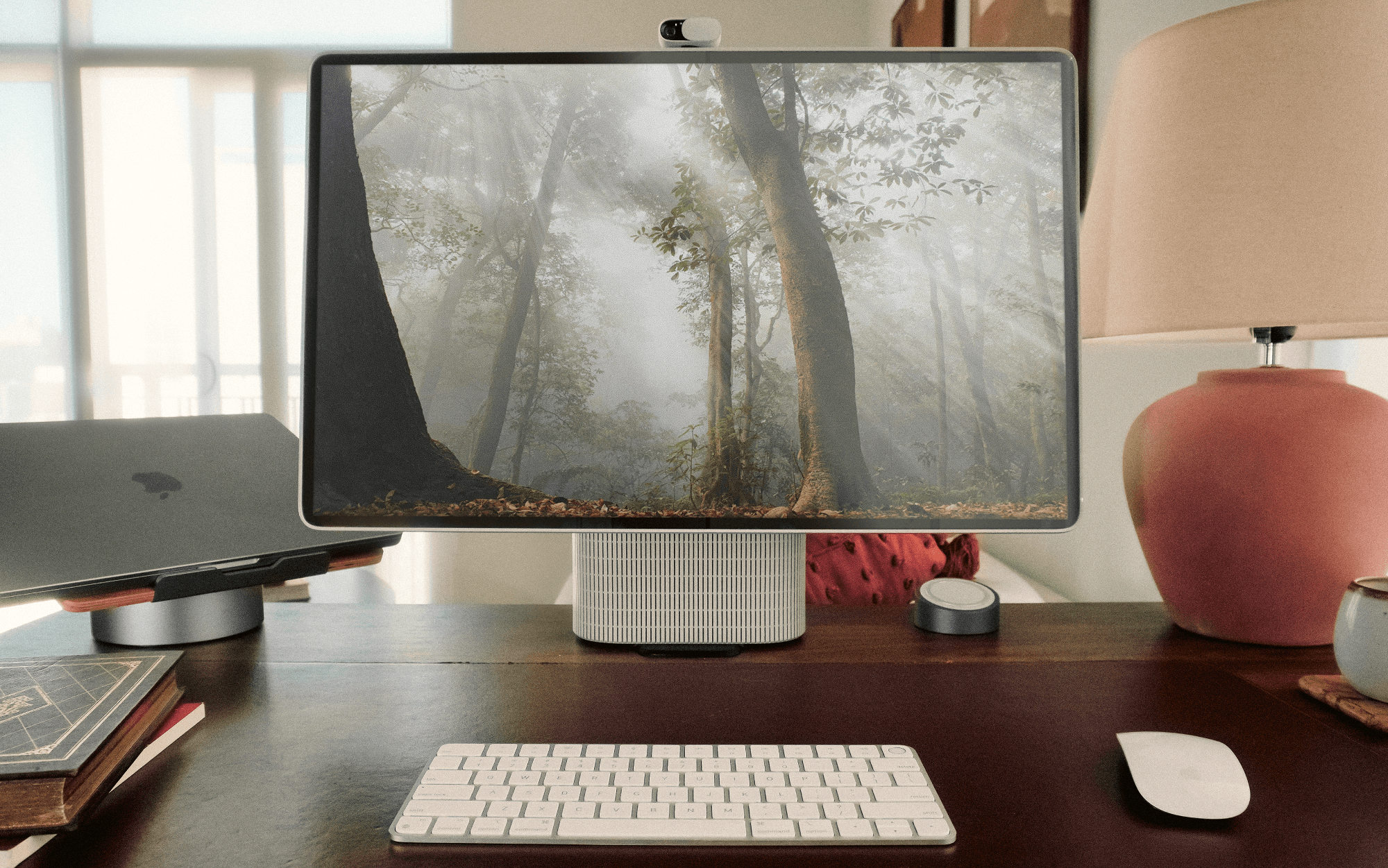
Combines display, speaker, and webcam into a single piece of hardware, designed as homeware to reduce peripheral clutter and enhance workspace aesthetics.
2024 MacBook M3 Pro
Handles most of Gabriel's design and development work, paired with the Home Display for his setup.
Apple Magic Keyboard
Chosen for its clean, reliable design and alignment with the minimalist look of the workspace.
Apple Magic Trackpad
Used for input, contributing to the simple and minimal setup with its clean and reliable functionality.
Pen & Paper
Preferred for sketching projects, with many sketches from the Home Display design process still around the workspace.
🚀
Software
3 itemsAutodesk Inventor
Parametric CAD software used by Gabriel for industrial design work, chosen over Solidworks or Rhino despite confusion from others.
Keyshot
Used for preparing renders for presentations to clients and suppliers, an essential tool in Gabriel's workflow.
Indesign
Used for creating presentations, though Gabriel spends an uncomfortable amount of time using it.
⚡
Productivity
2 itemsSimplified Workspace with Warm, Tactile Materials
A tip to create a calm and intentional space by using warm, tactile materials and keeping the workspace focused and distraction-free.
Cable Management Improvement
A tip suggesting to improve cable management under the desk to reduce clutter, as Gabriel mentions his current setup has a 'small jungle' of wires.
Original Post Preview
Want to see the full setup details?
Visit the original post for more photos, detailed specifications, and additional insights about this remote work setup.
View Original Post